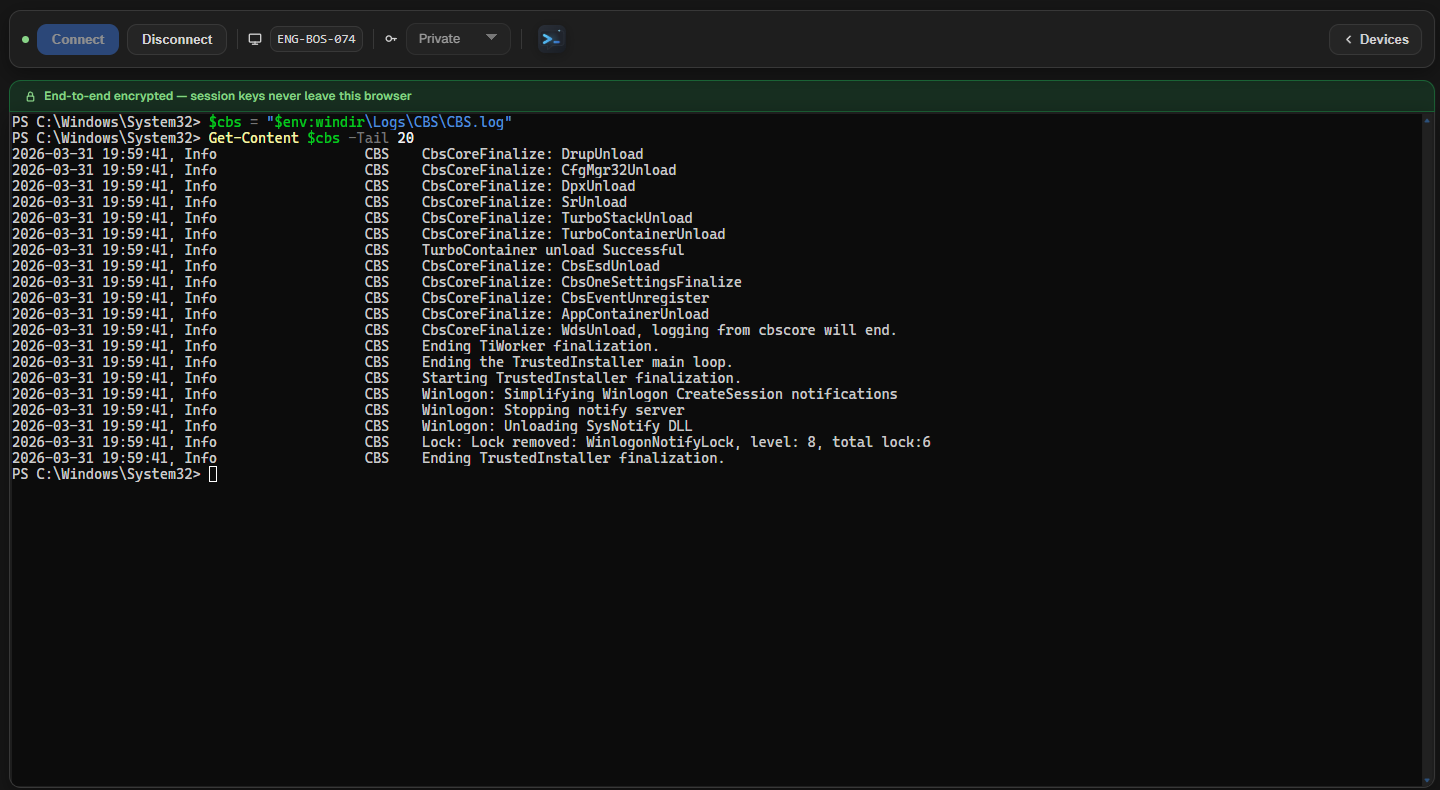
A full interactive PowerShell session. In the browser. On any managed Windows device.
No VPN dependency, no inbound firewall rules, no heavyweight endpoint suite to deploy. Operators reach any enrolled Windows device through a governed, outbound-only access path authenticated against Microsoft Entra. ShellAssist — the AI layer built into every session — sits beside the terminal to explain live output and suggest the next command when the investigation needs direction.
Start from the Windows endpoint that needs work. Open a live PowerShell session without relying on VPN reachability, user availability, or a heavyweight endpoint suite.
Operators keep momentum
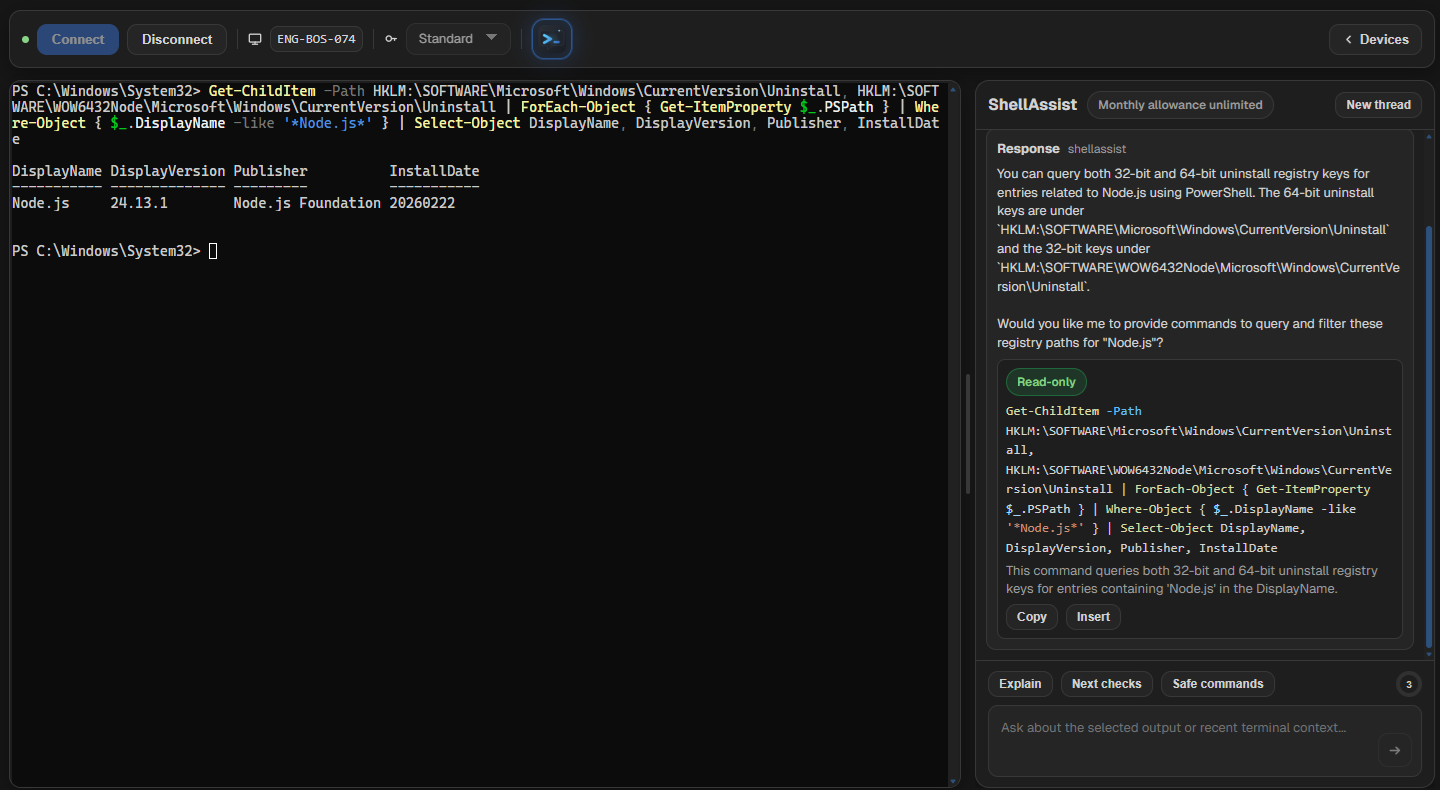
ShellAssist stays beside the terminal so selected output, next checks, and safe command suggestions stay inside the investigation instead of disappearing into another tab.
Private when needed
Private sessions keep the terminal stream encrypted end to end between the Windows agent and the operator browser. The platform still records who connected and when, but it cannot decrypt or transcript that session payload.
ShellAssist
AI context built into the session, not bolted on afterwards.
Most tools give you a shell and leave you to figure out the rest. ShellAssist stays in the same view — so when output is unfamiliar, a registry value is unexpected, or you need to build a PowerShell pipeline from scratch, operators get context and working commands without breaking their flow. What gets built and verified in the session can go straight into your RMM as a bulk action script.
Explain live output
Select terminal output and ask ShellAssist what matters, what it means, or why the result looks wrong without leaving the session view.
Build commands and pipelines interactively
Ask ShellAssist to construct a query, build a filter pipeline, or suggest the right PowerShell syntax for what you are trying to inspect — then run it immediately against a real device to verify it works before rolling it out anywhere else.
Turn one-off fixes into reusable scripts
When a command works, ShellAssist can help tighten it into a clean, reusable script ready to drop into your RMM for bulk remote action — so a single investigation becomes a repeatable fix across the estate.
Bounded suggestions, not open-ended noise.ShellAssist is designed around live terminal investigations and script work, not general-purpose AI chat. It works with the current session state and pushes toward specific, runnable outputs — the next diagnostic command, a tighter filter pipeline, or a clean script ready for your RMM — rather than sending you back to a search engine.
The workflow stays tight from device selection to session history.
Find the device, request a session, and work live from the browser with ShellAssist available when the terminal needs explaining. Administrators get the governance surface around that access path, including session history and auditability.
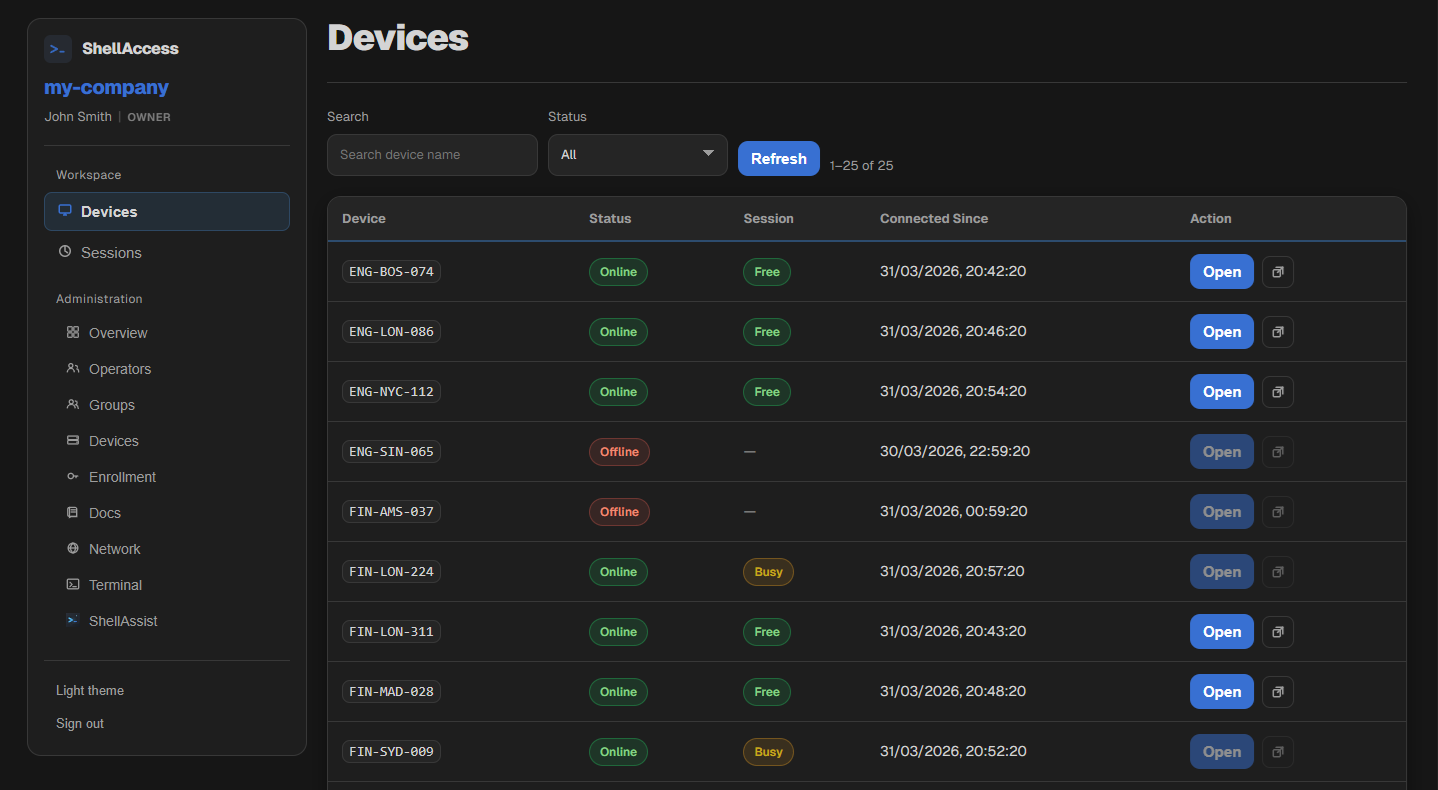
Device view
See whether the Windows endpoint is online, busy, or unavailable before you ask for a shell.
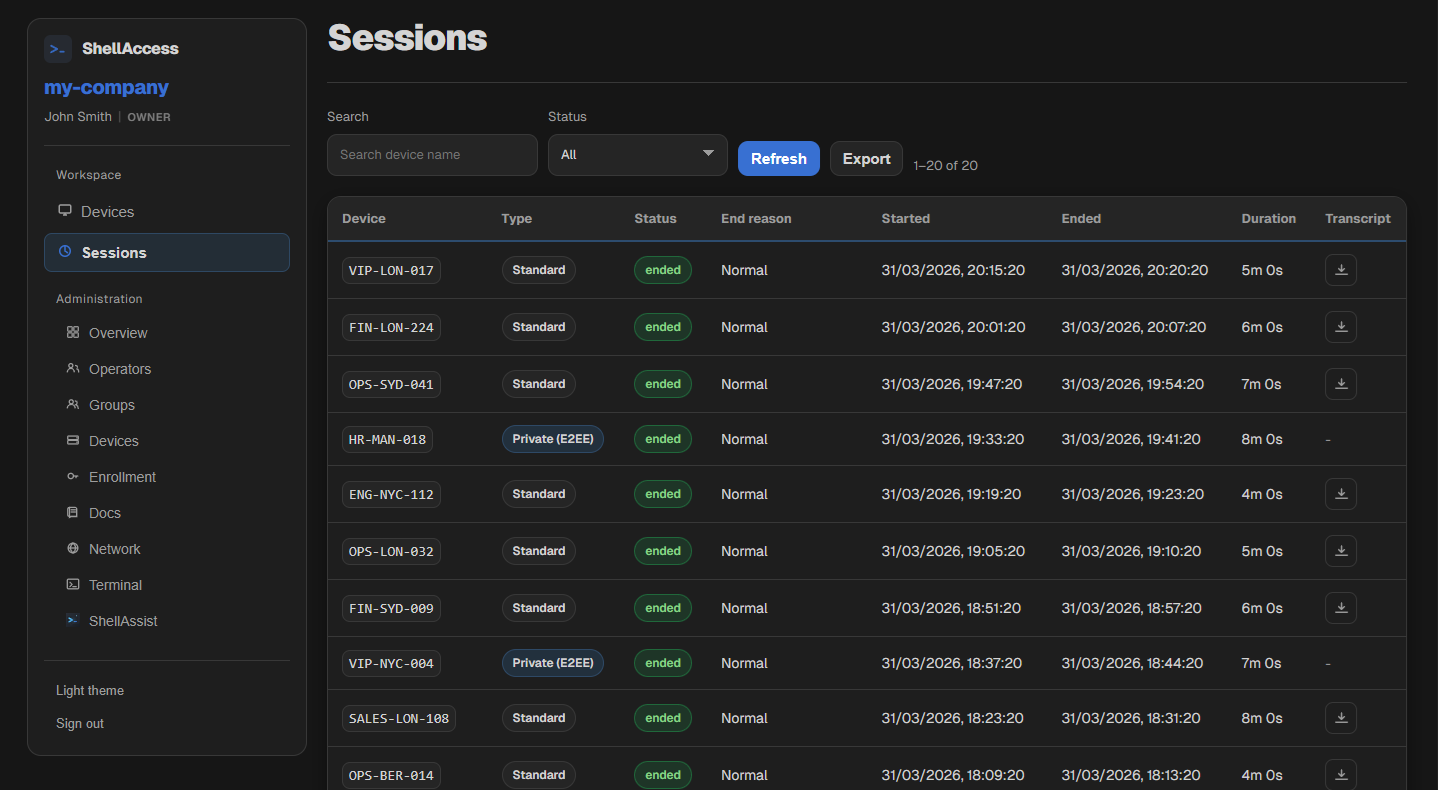
Session history
Review who connected, which device they touched, the session mode, and the outcome without digging through infrastructure logs.
An outbound session model with visible control points.
1
Sign in and find the deviceOperators sign in through Microsoft Entra, land in their scoped portal, find the Windows device that needs attention, and request a session from the browser.
2
Platform authorizes the requestThe platform validates the operator, their access to the device, and the session mode before issuing a signed session start.
3
Agent verifies and opens the shellThe Windows agent only starts a shell after it verifies the platform-issued grant. No valid grant means no shell.
4
Work live with ShellAssist beside the shellOperators get a full interactive PowerShell session — tab completion, command history, real terminal behaviour — with ShellAssist available in the same view for explanations and next steps. When the session ends, the shell is torn down and the audit trail remains.
A remote shell path that can be explained to security reviewers.
ShellAccess is designed as a governed access path, not a covert always-on backdoor. It is built to fit managed environments where Microsoft Entra sign-in, tenant-scoped access, Conditional Access, MFA, and audit matter as much as the shell itself.
Outbound-only agent connection modelThe Windows agent opens an outbound connection to the platform — no inbound port is opened, no firewall rule is created. When no session is active, there is nothing reachable from the network.
Microsoft Entra-integrated sign-inOperator authentication runs through Microsoft Entra ID. MFA and Conditional Access policies you have already configured apply at sign-in — ShellAccess enforces them by relying on your existing Entra trust.
Scoped operator access with tenant isolationOperators are granted access only to the devices in their assigned access groups. There is no cross-tenant data path — tenant data is isolated at the application and database layers.
Signed session authorization before shell startThe platform issues a cryptographically signed session start that the agent must verify before allocating a shell or starting any process. An authenticated broker connection alone cannot instruct the agent to open a shell.
Standard-session transcripts; no transcript path for private sessionsStandard sessions produce a full terminal transcript for audit and review. In private mode the platform records session metadata — who connected, to which device, and when — but the payload is encrypted end-to-end and cannot be transcribed.
No standing inbound remote access path on the deviceShellAccess does not install a persistent listener or a persistent administrative account. Between sessions the agent holds only its outbound control connection. There is no always-on shell path to discover or target.
For security reviews, architecture documentation is available on request.Request documentation
Private sessionsIn private mode, the terminal stream is encrypted between the Windows agent and the operator browser. The service can still record session metadata such as who connected, to which device, and when, but it cannot read the payload or generate a transcript from it.
A governed shell path with the investigation context your current tools leave out.
For pilots, early access, or managed-estate evaluations, get in touch. ShellAccess is built for environments where the security team needs to approve the access path, and ShellAssist is for operators who need to move faster once they are in the session.